If a person's profile looks wrong, for example the person no longer works at the company shown, you can tell us in a few clicks. Reports go to our data team and help us improve how visitors are matched.
A field with no data shows a dash (—). That's expected, and isn't something to report.
From the dashboard
- Go to Person-level visitors and select the person's row to open their profile.
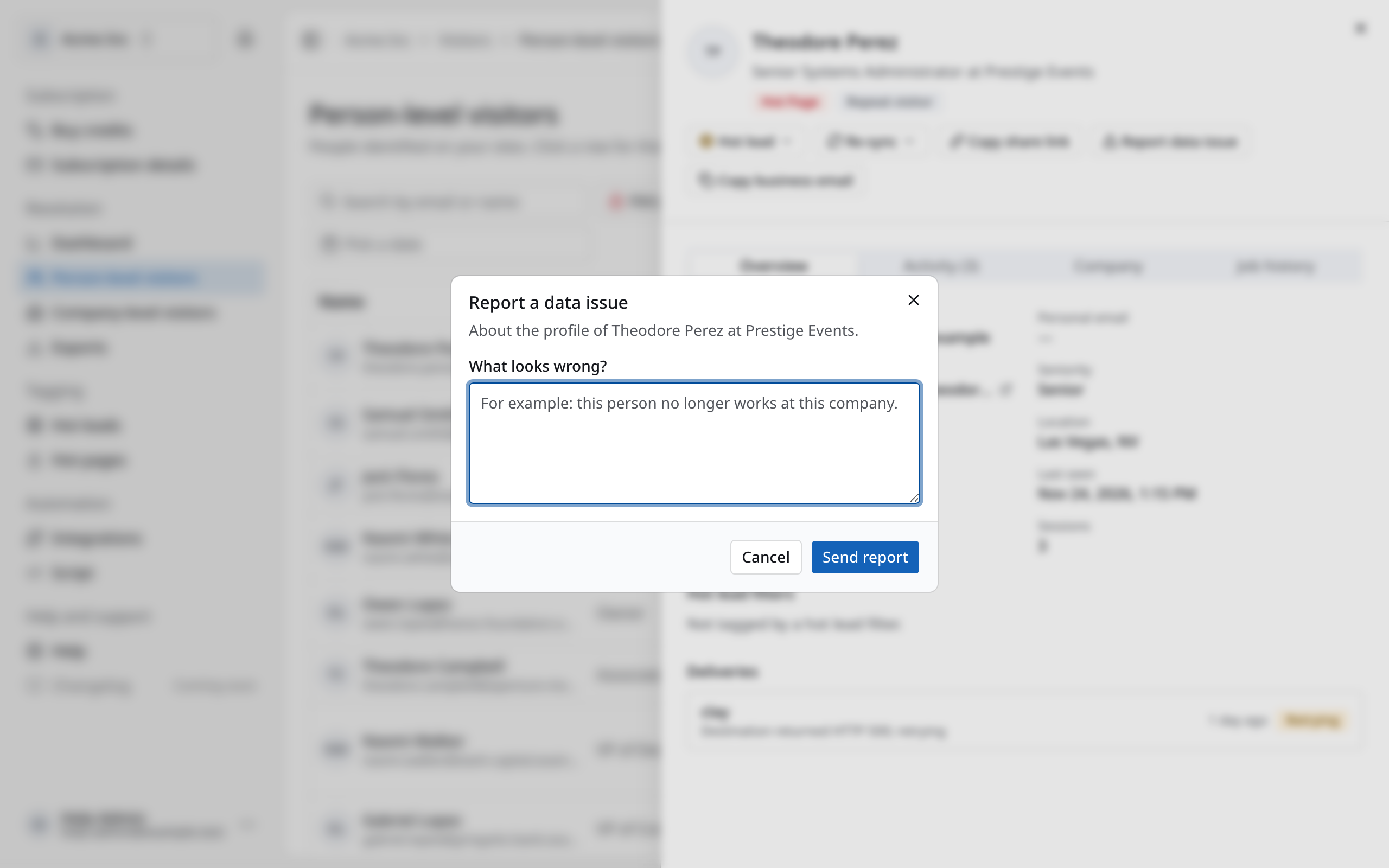
- Select Report data issue at the top of the profile.
- Under What looks wrong?, describe the problem in at least 10 characters, and at most 2,000.
- Select Send report.
You'll see "Thanks. The report was sent to our data team." If the report couldn't be sent, the dialog stays open with your text, so you can try again.
Every member of your organization can report a profile, whatever their role.
From Slack or Microsoft Teams
Messages about identified people include a Report Data Issue button. It opens the person's profile in your Blue Tracely dashboard with the Report a data issue dialog already open. You need to be signed in to Blue Tracely as a member of the organization to use it.
What to include
Be specific, so the team can check it:
- What's wrong: for example the name, job title, company, LinkedIn profile or email address.
- What you believe is right, if you know it.
- How you know: for example, you spoke with the person, or their LinkedIn profile shows a different employer.
The dialog already names the profile, so you don't need to copy its details.
Company-level visitors
The Report data issue button is on person profiles only. If a company profile looks wrong, write to hello@bluetracely.com with the company's name and what looks wrong.
Good to know
- Identifying website visitors is probabilistic, and a profile can be incomplete, out of date or wrong. To see how firmly a visit was identified, open the person's Activity tab and select the page view's tracking risk label. See Understanding Tracking Risk Labels: How Each Visit Was Identified.
- If the profile is a different person altogether, not the visitor, an owner or admin can select Not this person on the profile instead. It hides the person and stops their deliveries. See When a profile isn't the person who visited.
- Sending a report doesn't change the profile in your dashboard, or anything already sent to your integrations or exports.