The Domain Exclusion List stops Blue Tracely from identifying people you already know, such as existing clients, partners or your own team. An excluded person doesn't appear in your lists, isn't tagged, isn't sent to your integrations and doesn't use a credit.
The Domain Exclusion List is available on the Pro and Pro+ plans. It applies across all the domains in your account. Owners and admins can change it; other members can see it.
Overview of credit usage
Each person or company Blue Tracely identifies uses one credit, counted once per person or company in each calendar month. People and companies share one pool. Excluding the domains of people you already work with keeps your credits for new prospects.
The list only excludes people. Companies identified without a person aren't affected by it. To stop identifying companies on a domain, turn off Company-level collection in Visitor capture settings on the Script page. See Understanding the Blue Tracely Credit System.
Accessing the Domain Exclusion List
- From the Script page: open the Script page and select Manage list next to Domain Exclusion List.
- Directly: go to Domain exclusions.
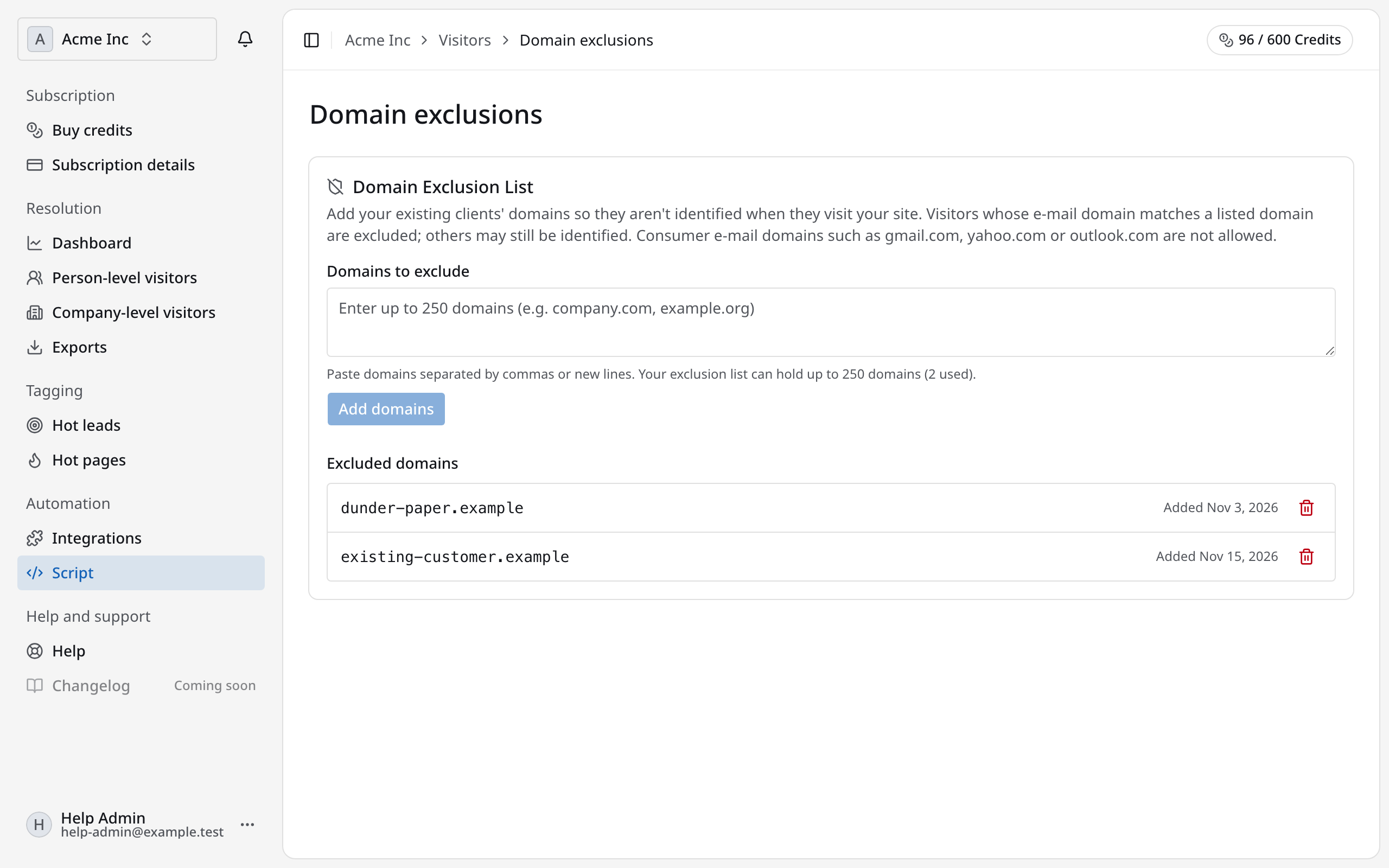
Adding a domain
- Open the Domain Exclusion List.
- Under Domains to exclude, enter the domains you want to exclude, such as
example.com. Separate several domains with commas or new lines. - Select Add domains.
The excluded domains appear under Excluded domains, with the date each was added. The list holds up to 250 domains.
A few things to know when you enter domains:
- You can paste a web address or an email address: Blue Tracely keeps only the domain, and drops a leading
www.. - Domains already on the list, and entries that aren't domains, are refused with a message next to them.
- Each domain is matched exactly. Listing
example.comdoesn't exclude addresses atuk.example.com; add that domain too if you need it.
Consumer email domains, such as gmail.com or yahoo.com, can't be added. Wildcards and whole categories, such as every .edu domain, aren't supported either: add each domain on its own.
Removing a domain
- Select the trash icon next to the domain.
- In Remove excluded domain?, select Delete domain to confirm, or Cancel.
People from that domain can be identified again from then on.
How exclusion works
Blue Tracely excludes a person when the domain of their business email address, of their personal email address, or of their company's website is on the list. A person whose domains don't match can still be identified.
Benefits
- Cleaner lists: your lists and connected tools show prospects, not people you already work with.
- Credits kept for prospects: excluded people don't use credits.
Considerations
- Identification: a long list leaves fewer people to identify. Add domains deliberately.
- Integrations: excluded people aren't sent to Slack, Microsoft Teams, HubSpot CRM or Salesforce CRM, so make sure you don't exclude a domain you need.
- Timing: the list works going forward. A person identified before their domain was added stays identified.
- Plan: the list is applied only while your plan includes it. On Free and Starter it isn't used.
Best practices
- Add your own company's domain and the domains of your existing clients.
- Review the list when your client list changes.
- To leave out low-intent pages, such as careers pages, use URL Restrictions alongside the list.
Frequently asked questions
Can I exclude a specific email address?
No. The list works by domain only. There's no way to exclude a single person by their email address.
I excluded a domain. Why is someone from it still identified?
The list works going forward. A person Blue Tracely had already identified before you added their domain stays identified. People from that domain identified for the first time after you added it are excluded.
How can I keep job seekers or other low-intent visitors from using credits?
Use URL Restrictions to stop collecting on pages such as /careers or /jobs.