Hot pages are available on the Pro and Pro+ plans, and during the 7-day Pro+ trial. Owners and admins can add and remove hot pages; other members can view them.
Hot pages are the pages of your website that signal the strongest interest, such as your pricing, demo or comparison pages. When an identified person or company views one of them, the visit is tagged Hot Page, so you can spot and filter those visitors on Person-level visitors and Company-level visitors.
How to set up hot pages
- Go to Hot pages, under Tagging in the sidebar.
- Select Add page. You can also select Add hot page to open the same form on its own page.
- Under Domain, choose one of your domains.
- Under Page, enter the page's address, or a part of it, such as
/pricing. - Select Confirm.
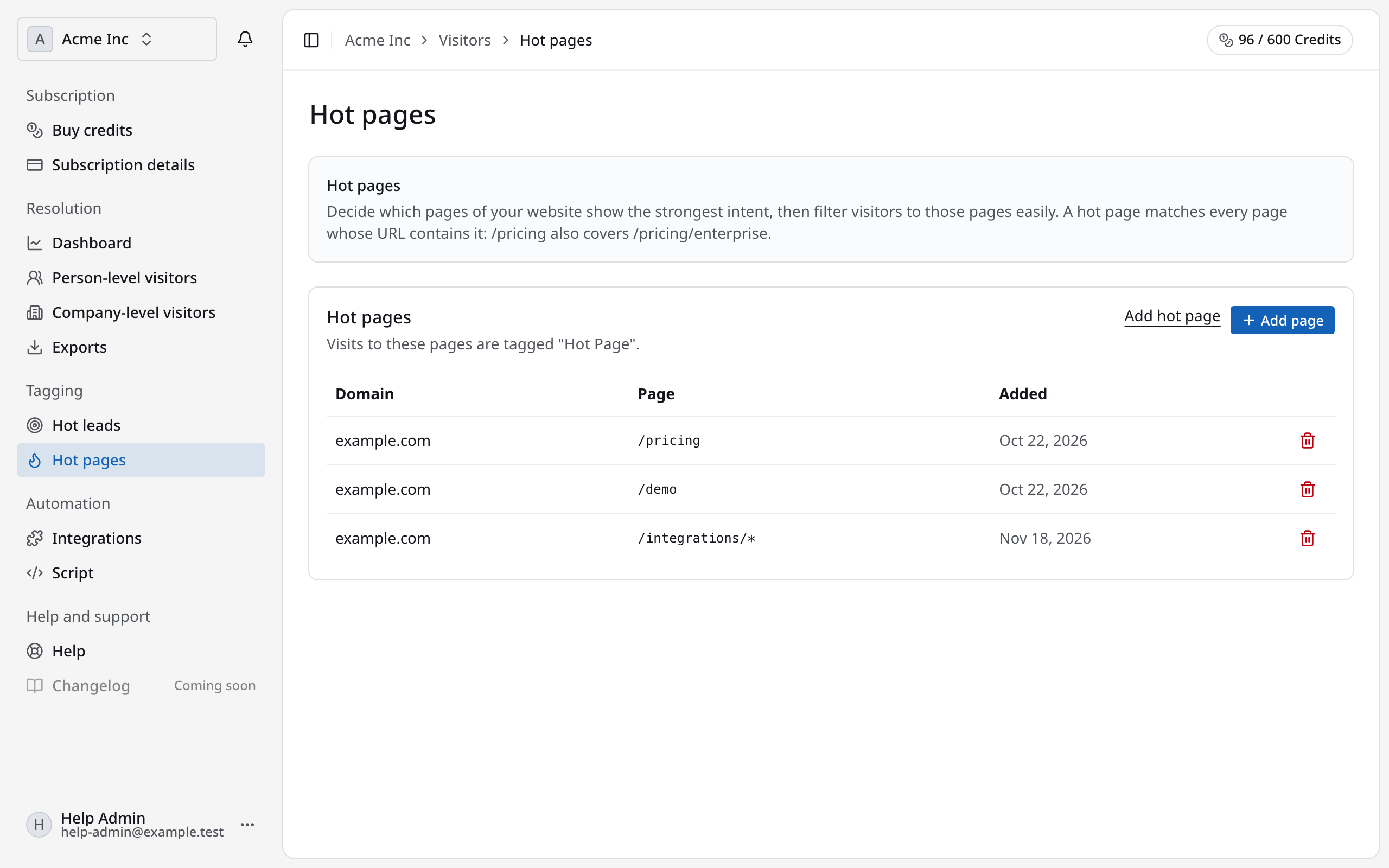
Add one entry at a time. The page is listed with its Domain, Page and the date it was Added, and visits to it are tagged from then on.
Hot pages aren't applied retroactively. Only visits made after you add the page are tagged.
A hot page belongs to one of your domains, so Add page can't be selected until you've added a domain on the Script page. An account can have up to 500 hot pages.
How an entry is matched
An entry matches every page whose address contains it:
- It's compared with the page's path, the part of the address after the domain. The query string (after
?) isn't part of it. - Capital letters are ignored. Entries are saved in lowercase.
- If you paste a full address, such as
https://example.com/pricing, only its path (/pricing) is kept. - Entries can't contain spaces,
?or#, and can be up to 200 characters.
Examples
| Page entry | What it matches |
|---|---|
pricing | Any page whose path contains "pricing", such as /pricing, /pricing/enterprise and /enterprise-pricing |
/pricing | Any page whose path contains "/pricing", such as /pricing, /pricing/enterprise and /en/pricing, but not /enterprise-pricing |
/products/analytics | Any page whose path contains "/products/analytics", such as /products/analytics/features |
Don't enter / on its own. Every path contains /, so every page on the domain would become a hot page. For the same reason, your homepage makes a poor hot page: most visitors see it.
Domains and subdomains
Each hot page belongs to the domain you choose. It applies to visits on that domain and on its subdomains that you collect from, such as www.
The Domain list shows the domains on your Script page. To use a separate subdomain, such as blog.example.com, add it there as its own domain first; it then appears in the list. See Add Multiple Domains to Your Blue Tracely Account.