Blue Tracely lists the visitors it identifies on your websites in two places, both under Resolution in the sidebar. This article explains what each list shows and how to move through it.
Two kinds of identified visitors
- Person-level visitors: people Blue Tracely could name, with their LinkedIn profile. Available on the Starter, Pro and Pro+ plans.
- Company-level visitors: visitors Blue Tracely couldn't name as a person, but whose company it could identify. Available on every plan.
How many of your visitors are identified depends on your audience and your plan. The Coverage card on the Dashboard shows your own rate over the last 30 days, next to the typical range for your plan. See Viewing Your Collection Analytics.
Person-level visitors
Go to Person-level visitors. The people who visited most recently are at the top.
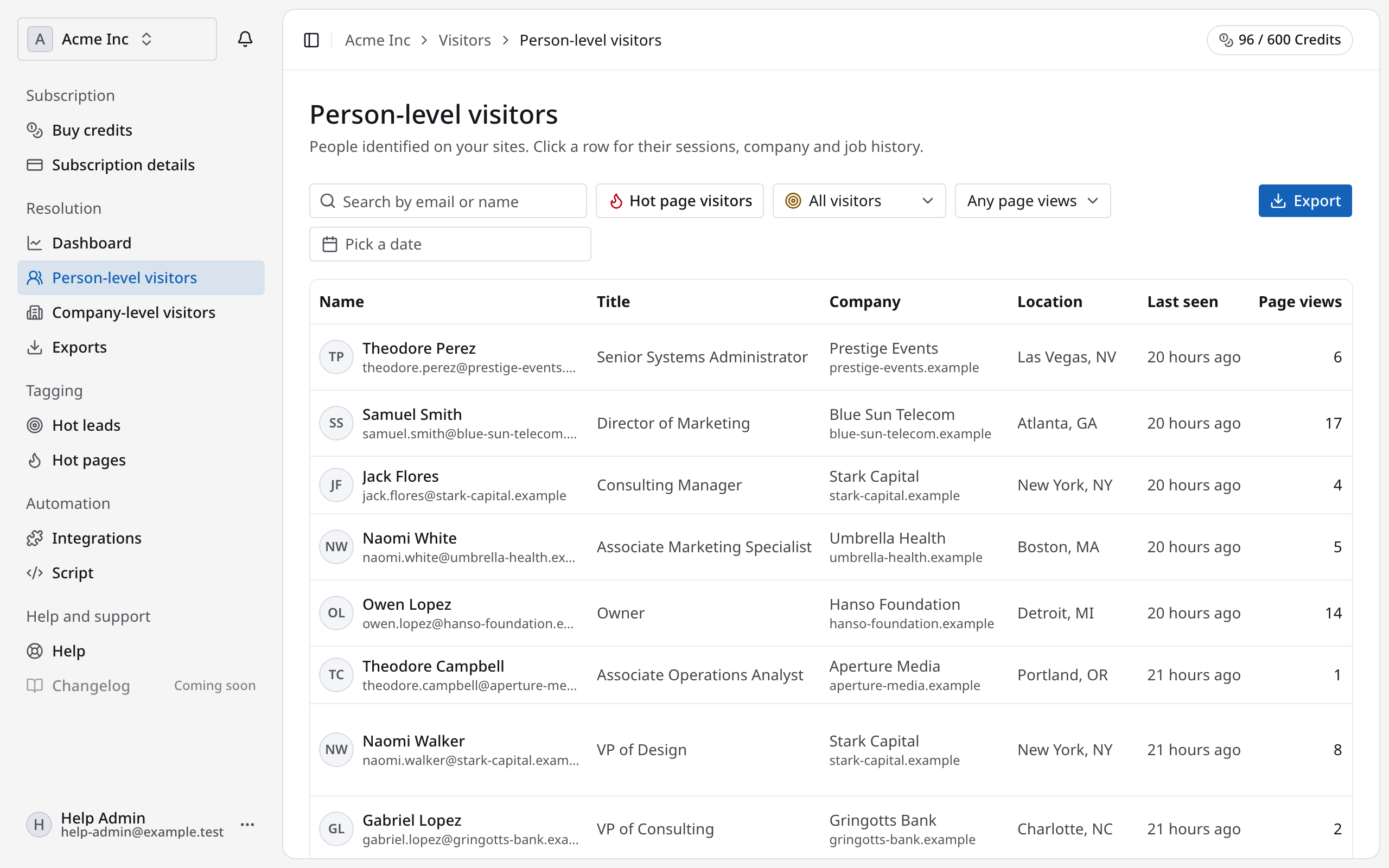
Each row shows:
| Column | What it shows |
|---|---|
| Name | The person's name and profile photo, with their business email underneath on Pro and Pro+ |
| Title | Their job title |
| Company | Their company and its website domain |
| Location | The city and state from their profile |
| Last seen | How long ago they last visited. Hover over it for the exact date and time |
| Page views | How many pages they viewed |
| Tags | Hot Lead, Hot Page or Known in CRM where they apply, and Repeat for a returning visitor |
Information that isn't available for a person shows as a dash.
On the Free plan, this page explains that person-level visitors aren't included in your plan, with a link to upgrade.
Company-level visitors
Go to Company-level visitors. The companies seen most recently are at the top. Each row shows the Company, Industry, Employees, Est. revenue, Location, Last seen, Page views and Tags.
Moving through the list
- Rows per page: choose 10, 20, 25, 30, 40 or 50 at the bottom of the list (on larger screens). The list starts at 25.
- Pages: use the arrows next to "Page 1 of …" to move between pages.
- Filters: narrow the list with the search box, Hot page visitors, the hot leads filter (person-level only), the page views filter and a date range. See Searching for Profiles.
With a date range, Page views counts only the page views in that range.
Opening a visitor
Select a row to open the visitor's details: their profile, activity, company and job history. See Accessing Detailed Profile Information.
How long visitors stay in the lists
Identified people and companies stay in your account for 30 days by default, or for the period between 1 and 90 days set for your account. To keep visitors longer, export them or send them to your CRM. See CSV Exports and Integrations.