Blue Tracely identifies visitors in any country outside the European Economic Area (EEA), the United Kingdom and Switzerland. Visitors from those regions are never identified, as people or as companies.
This article explains the default behavior, the Geo restrictions page, and how the setting affects your credits.
Default behavior
Unless your account has been set up for specific countries, there's nothing to configure:
- People are identified in any country outside the EEA, the UK and Switzerland, on the Starter, Pro and Pro+ plans.
- Companies are identified in the same countries, on every plan, when Company-level collection is on for the domain.
In that case, the Geo restrictions page says "There is no country limit to change", and the International company tracking switch on the Script page can't be changed.
Accounts set up for specific countries
If your account is set up for a list of countries, the Geo restrictions page shows them under "Countries your account is set up for". Then:
- People are identified only in those countries.
- Companies are identified only in those countries, unless you turn on international tracking for company-level identification. It then also identifies companies elsewhere, except in the EEA, the UK and Switzerland.
The setting only affects company-level identification. Person-level identification always stays within your countries.
Managing the setting
Owners and admins can change it.
- Open the account menu and select Geo restrictions, or go to Geographical restrictions.
- Under Enable International Tracking, choose Yes or No.
- If you chose Yes, check I confirm that I am using a consent management tool to capture consent for international tracking.
- Select Save changes.
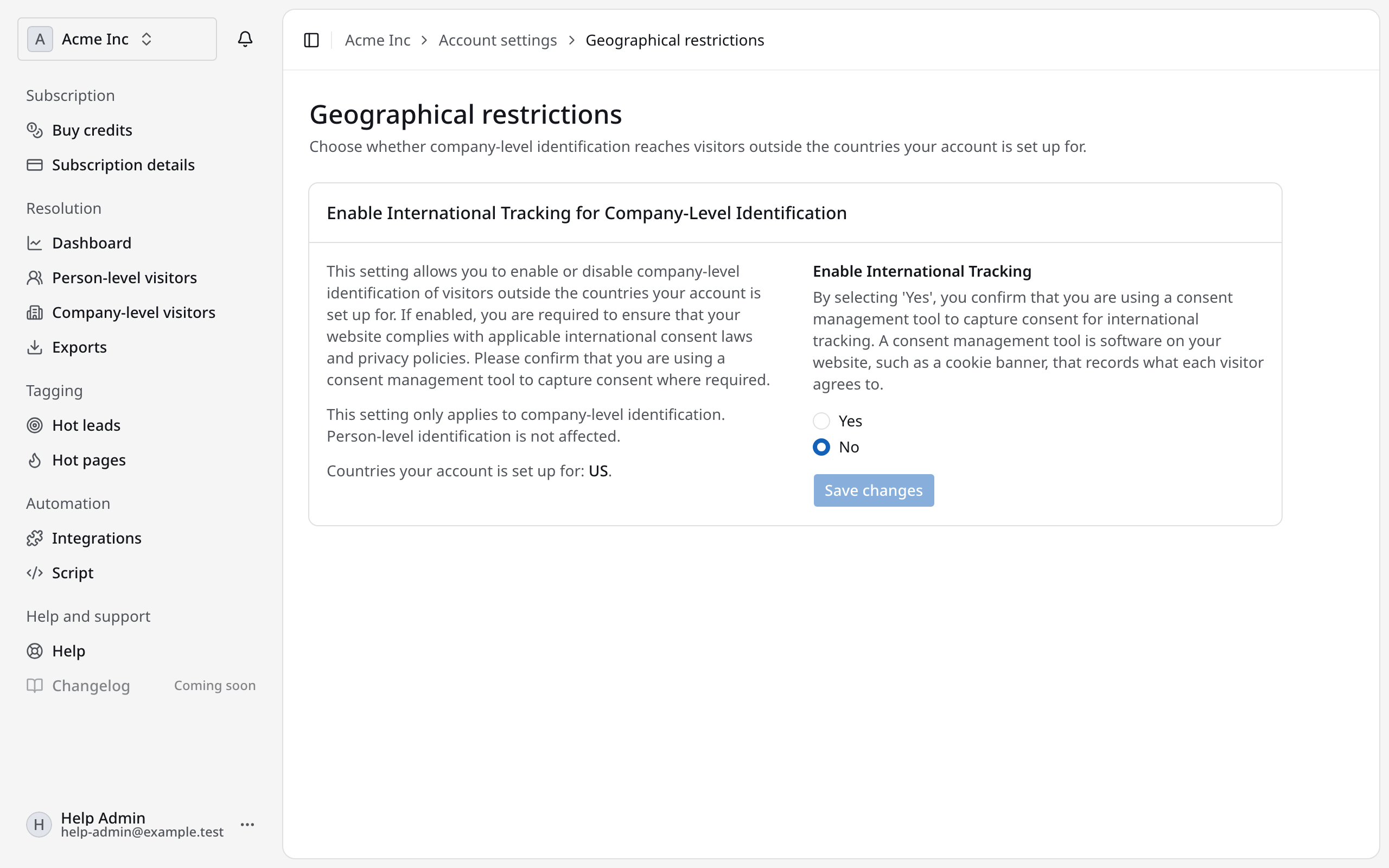
The choice applies to every domain in your account. You can also change it for one domain with the International company tracking switch in Visitor capture settings on the Script page. That switch only works while Company-level collection is on for the domain.
Turning on international tracking
To turn it on, you must confirm that your website uses a consent management tool: software, such as a cookie banner, that records what each visitor agrees to before tracking starts. See What is a Consent Management Tool?
Blue Tracely doesn't check your consent setup for you. You're responsible for configuring your consent tool and for telling visitors in your privacy policy that you use Blue Tracely. See Updating Your Privacy Policy.
Credit usage and turning off international tracking
Companies use credits from the same pool as people. If companies outside your countries aren't a priority, choose No to keep your credits for visitors in your countries. While it's off, no credits are used on companies outside them.
If your account has no country list, you can still save credits on companies by turning off Company-level collection for a domain. See Optimizing credit consumption and targeting high-intent leads.
Important notes
- People and companies visiting from the EEA, the UK and Switzerland are never identified, whatever this setting says.
- Turning on international tracking can bring legal obligations in the countries involved. Check with your legal or compliance team first.
- Blue Tracely doesn't enforce consent on your website, apart from following a CookieYes banner and Global Privacy Control. See Using CookieYes Cookie Consent with Blue Tracely.
- You can turn the setting on or off for all countries outside your list, not for some of them.