Your hot lead filters are listed on the Hot leads page, under Tagging in the sidebar. Every member can see them; owners and admins can change them. Hot leads are available on the Pro and Pro+ plans.
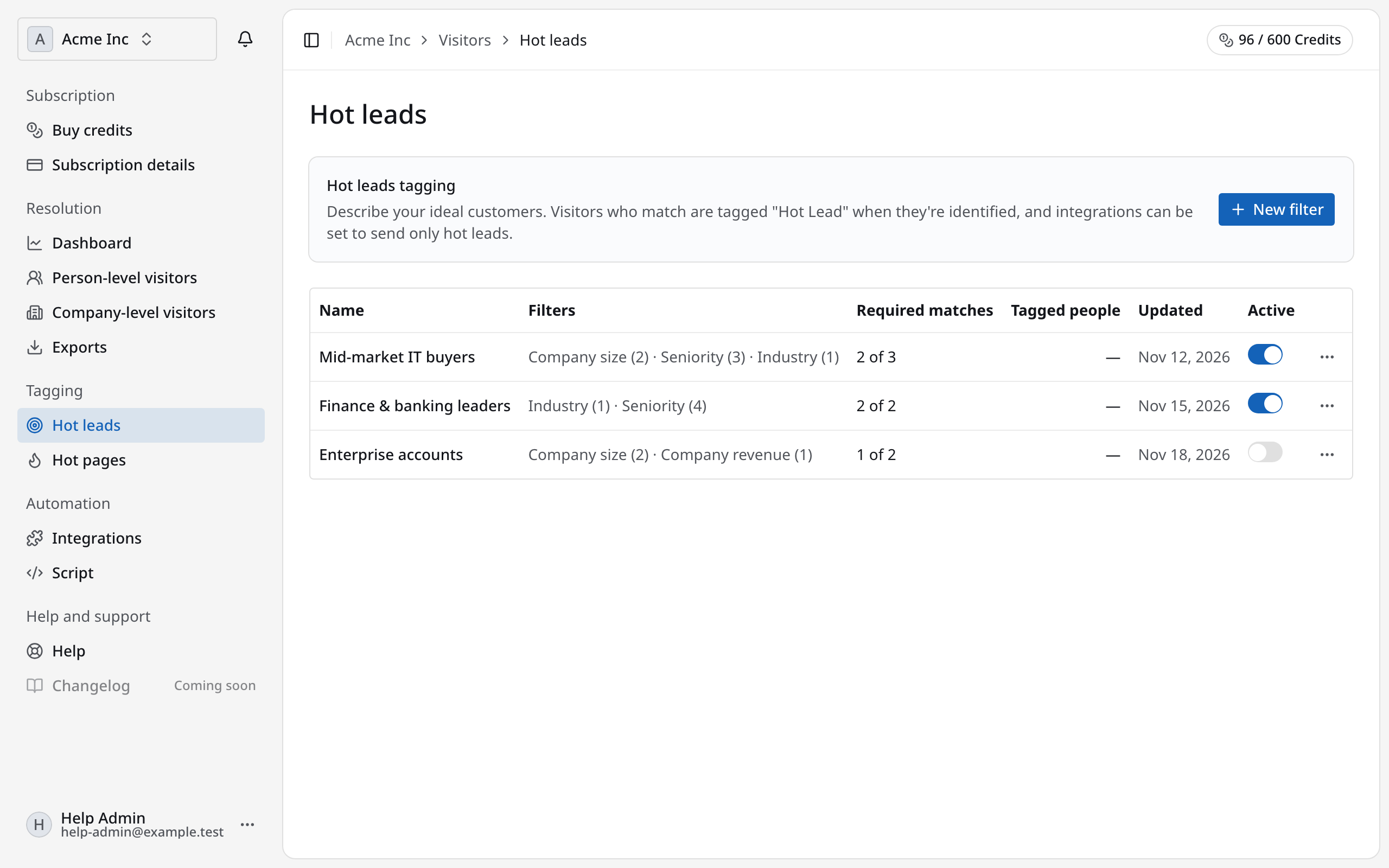
What the list shows
Each filter is a row with these columns:
| Column | What it shows |
|---|---|
| Name | The filter's name. Select it to open the filter. |
| Filters | The groups the filter uses and how many options each has, such as "Seniority (3) · Industry (2)" |
| Required matches | How many of those groups must match, such as "2 of 3" |
| Tagged people | How many people currently carry this filter's tag |
| Updated | When the filter was last saved |
| Active | Whether the filter is tagging new people |
The list doesn't show which integrations use a filter. To check, open each integration's settings on Integrations and look at Hot lead filters.
Pausing or resuming a filter
Use the Active switch on the filter's row. A message confirms that the filter is active or paused.
- A paused filter doesn't tag anyone. People it already tagged keep the tag on their profile.
- While a filter is paused, integrations set to send only hot leads don't count its tags.
- When you turn it back on, people who were identified while it was paused are checked the next time they visit.
You can also change Active inside the filter and select Save filter.
Editing a filter
- Select the actions menu (⋯) at the end of the filter's row.
- Choose Edit. You can also select the filter's name.
- Make your changes and select Save filter, or Discard changes to leave without saving.
Changes apply to people the filter hasn't checked yet. People it already tagged stay tagged, and people it didn't tag aren't checked again. Members without permission to edit see View in the menu and can open the filter without changing it.
Deleting a filter
- Select the actions menu (⋯) at the end of the filter's row.
- Choose Delete, then confirm with Delete.
Deleting a filter stops it from tagging anyone and removes the tags it gave, including tags you added by hand under that filter. People with no other hot lead tag lose their Hot Lead tag. If an integration follows the filter, update its Hot lead filters setting.
To stop a filter while keeping the people it tagged, pause it instead of deleting it.